
The Documents Every New Homeowner Should Keep
Buying a home comes with more than a new set of keys: it also comes with a surprising amount of paperwork. Between the purchase itself, your mortgage, insurance, warranties, and possible renovations, you’ll quickly accumulate documents that you’ll need for years, decades even.
Your challenge isn’t just keeping them but knowing which ones matter, how long to keep them, and how to organize them so they’re easy to find when you need them. Here are the essential documents every homeowner should keep, and how to organize them with Genius Scan.

Digitize Documents from the Home Purchase
Even after the excitement of closing day has passed, the paperwork from buying your home remains among the most important documents you’ll ever own.
This includes:
- Purchase agreement
- Closing disclosure
- Property deed
- Mortgage documents
- Title insurance policy
- Property survey
- Home inspection report
These documents establish ownership, explain the terms of your mortgage, and may be required if you refinance, resolve a legal dispute, or eventually sell your home.
Since many of these papers are only needed occasionally, they’re easy to misplace. Digitizing them shortly after closing ensures you’ll always have a copy available without digging through filing cabinets or storage boxes. It also makes it easier to keep backup copies in separate locations, so that if the originals are lost or destroyed (house fire, flood, etc), a digital copy remains available somewhere.
Digitizing them shortly after closing ensures you’ll always have a copy available.
Keep Insurance and Financial Records Together
Owning a home means managing recurring paperwork in addition to your initial purchase documents.
Your archive should include:
- Homeowners insurance policies
- Flood or earthquake insurance (if applicable)
- Property tax statements
- Mortgage statements
- Proof of insurance payments
- Major insurance claims and correspondence
When an emergency happens, having immediate access to your insurance information can make an already stressful situation much easier. Instead of searching for a policy number or coverage details, you can retrieve the documents from your phone or computer in seconds.
As policies are renewed each year, consider keeping previous versions in an archive folder rather than deleting them. Older documents can still be useful if questions arise about past coverage or claims.
Save the Paper Trail of Home Improvements
Unfortunately, the paperwork doesn’t stop once you’re settled in. Every repair, renovation, or appliance purchase generates documents worth keeping. Examples include:
- Contractor invoices
- Renovation estimates
- Building permits
- Appliance warranties
- Instruction manuals
- Repair receipts
- Maintenance records
These documents are useful for much more than warranty claims. They help track your home’s maintenance history, support insurance claims after damage, and can even increase buyer confidence if you decide to sell by demonstrating that the property has been well maintained.
Archiving and indexing them also makes it easier to answer questions like “When was the water heater replaced?” or “Who installed the new roof?” without searching through years of paperwork.
Build a Digital Home Binder
Having digital copies of these documents is helpful, but they’re even more valuable when they’re organized and easily accessible. Instead of scattering PDFs across your computer, create a simple folder structure dedicated to your home. For example:
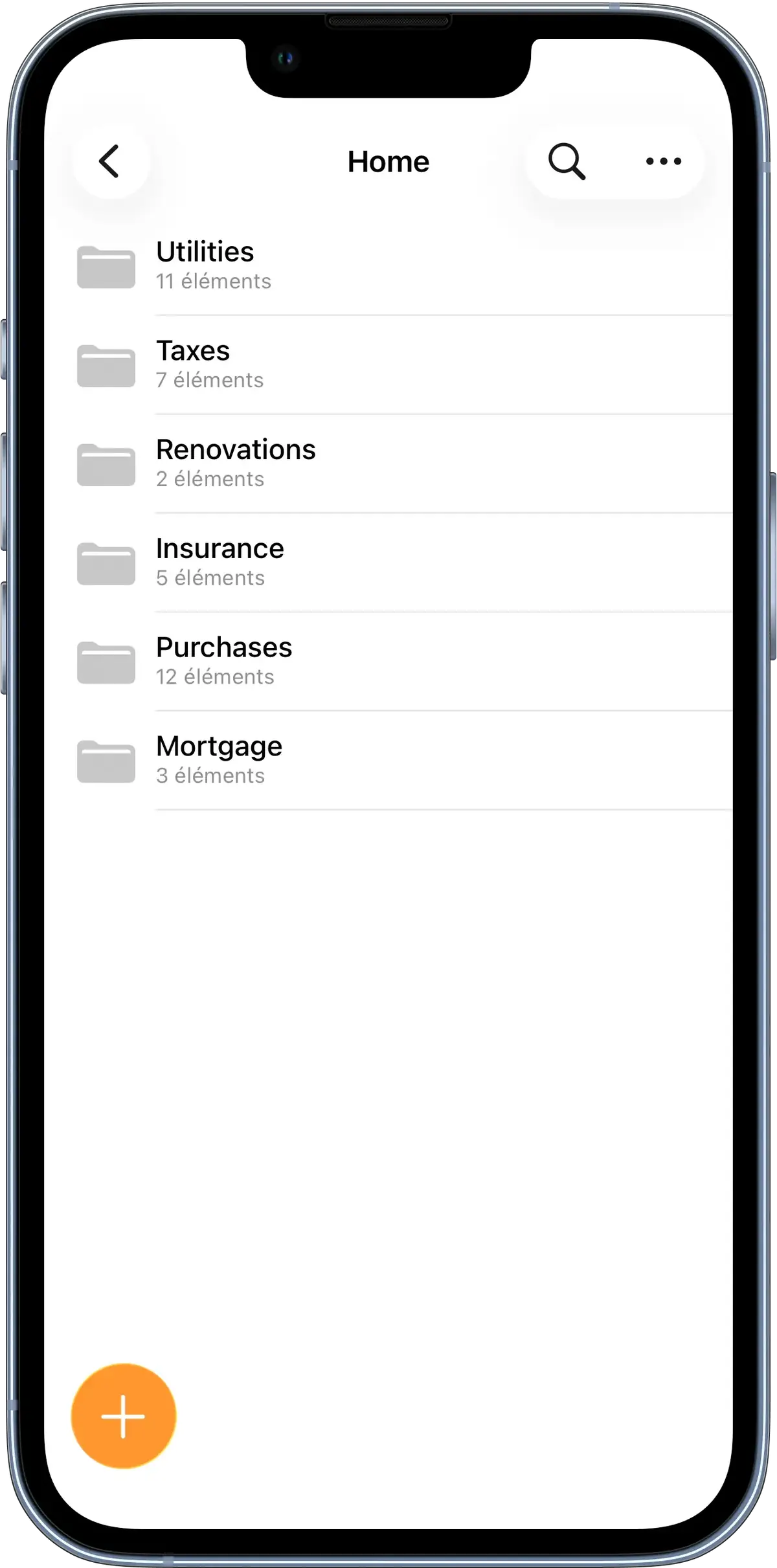
As you scan new documents, give them descriptive names rather than generic filenames like Scan001.pdf. A name such as 2025-06-18 Roof Repairs is much easier to identify years later.
With Genius Scan, you can simplify this process using AI-powered Genius Renaming, which suggests meaningful filenames based on the document’s content. Combined with folders and OCR search, it becomes easy to locate any document without remembering exactly where you filed it. On iOS, you can even search for your documents through Spotlight, so make sure you apply OCR or rename them intentionally.
You can also export your archive to cloud storage services like Google Drive or Dropbox, ensuring your documents remain backed up and accessible even if your phone or computer is lost. A few minutes spent scanning and organizing today can save hours of frustration years down the road.