
Announcing Genius Scan SDK 6
On May 12, 2026, we released Genius Scan SDK 6, a major update to the scanning technology that companies can embed in their own apps.
Most readers of this blog know us through Genius Scan, our mobile scanning app. The Genius Scan SDK (SDK stands for Software Development Kit) lets other companies bring the same document scanning engine into their apps: document detection, cropping, image enhancement, PDF generation, text recognition, barcode scanning, and data extraction.
In other words, when an app needs to scan an invoice, a receipt, a delivery document, a medical form, or an ID-related document, its developers do not have to build a scanning engine from scratch. They can integrate Genius Scan SDK and customize the experience to fit their workflow.
A Redesigned Scan Flow
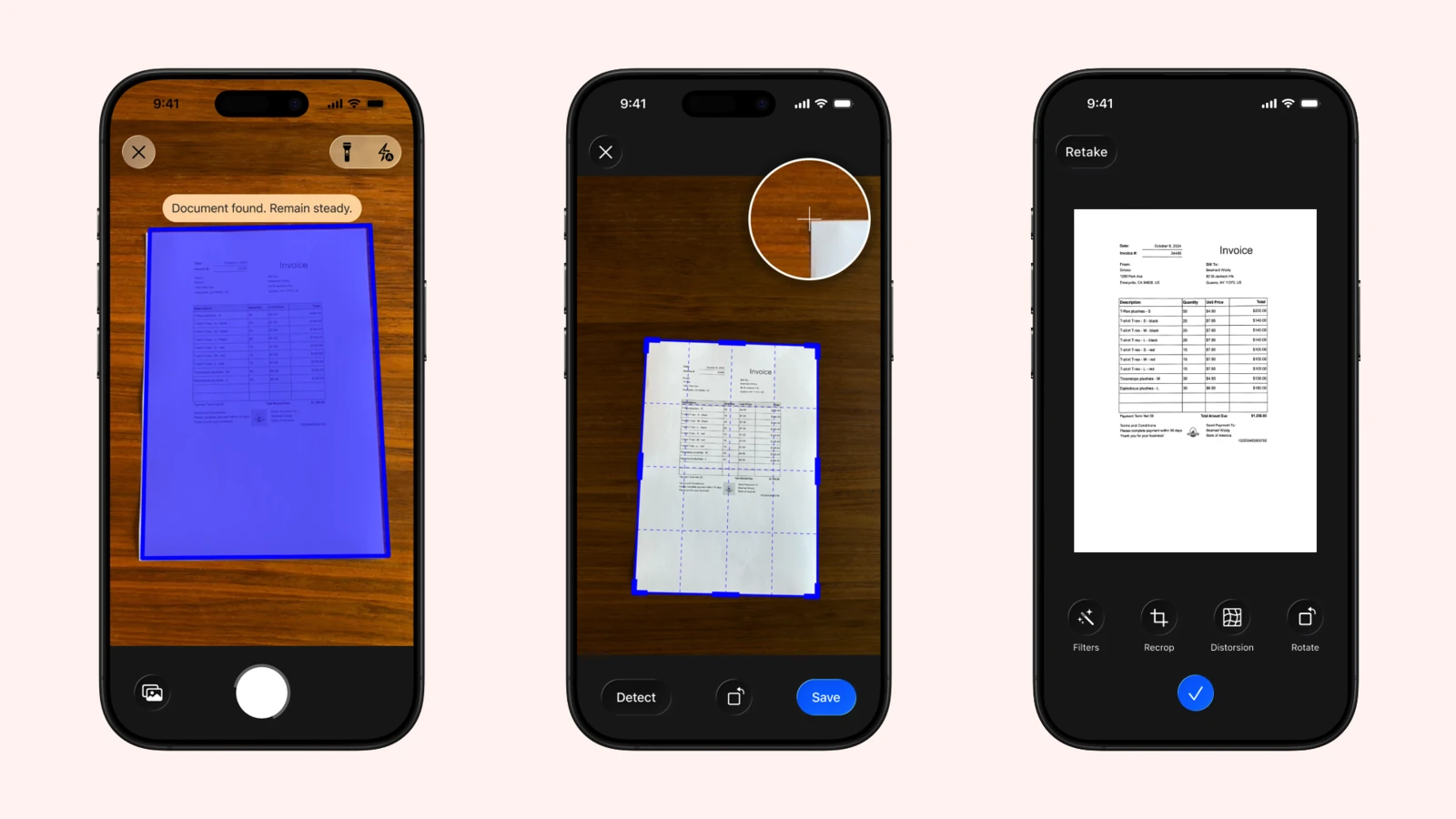
Genius Scan SDK 6 focuses first on the scanning experience itself. The ScanFlow module, the ready-made scanning interface that developers can add to their app, has been redesigned around faster capture, clearer review, and easier page editing.
The biggest change is that users can now revisit and edit previously captured pages without leaving the scan flow. In SDK 5, multi-page scanning was strictly linear: once a page was confirmed, users could not go back to it, so correcting a single mistake often meant canceling the session and starting over. SDK 6 replaces that rigid path with a camera carousel, dedicated review and edit screens, and the ability to jump back to any page mid-scan to recrop, rotate, reorder, or delete it before continuing.
Around that core change, the flow also adds smoother transitions between capture and review, bulk deletion and page reordering, clearer recrop controls, a rotate action, and better support for large accessibility text sizes. The recrop screen is more flexible too, with controls that make it easier to adjust a document boundary precisely.
These details matter because scanning is often done under pressure: at a counter, in a car, on a construction site, in a clinic, or while filling an expense report. The fewer corrections users have to make later, the more valuable the scan is.
Genius Scan is notably known by its customers to scan in difficult environments, such as a truck cabin or even harsher conditions, including underwater research expeditions.
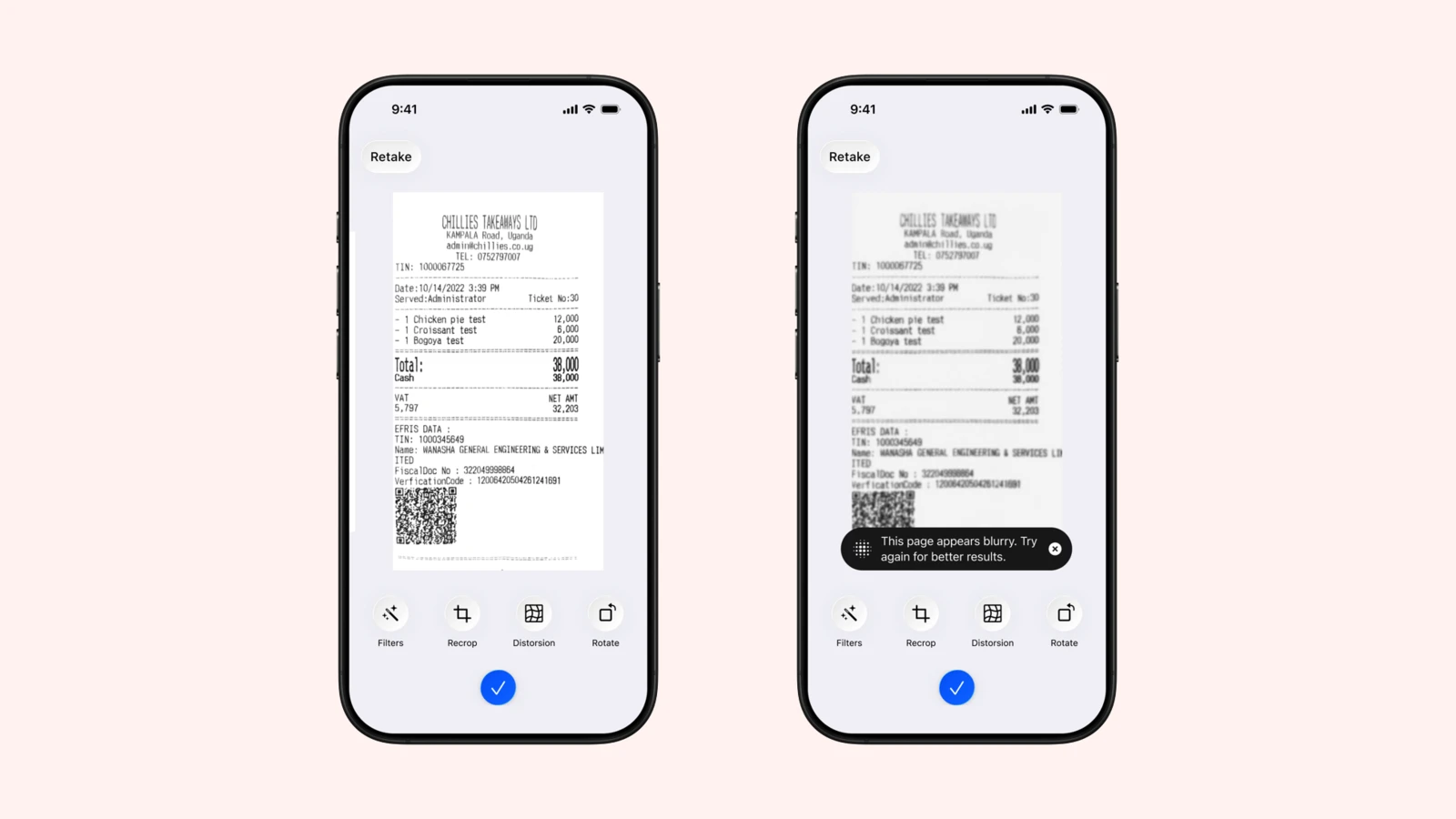
Genius Scan SDK 6 warns users when a scanned page appears blurry.
Better Building Blocks for Custom Apps
Not every company wants the exact same scanning interface. Some use the full scan flow. Others build their own experience and rely on lower-level SDK components for the camera, document detection, image processing, OCR, PDF generation, or barcode detection.
SDK 6 modernizes these custom integrations.
On iOS, GSKCameraViewController is now initialized from a configuration object. It supports document and barcode scanning modes, exposes Swift-native camera events, handles camera permission checks, and offers customizable overlays.
On Android, ScanFragment now uses CameraX exclusively. The SDK also updates to CameraX 1.5 and improves camera preview callbacks so apps can process frames directly. The legacy Android Camera API is no longer supported.
For app developers, this means cleaner integrations, APIs that better match current platform conventions, and fewer platform-specific surprises.
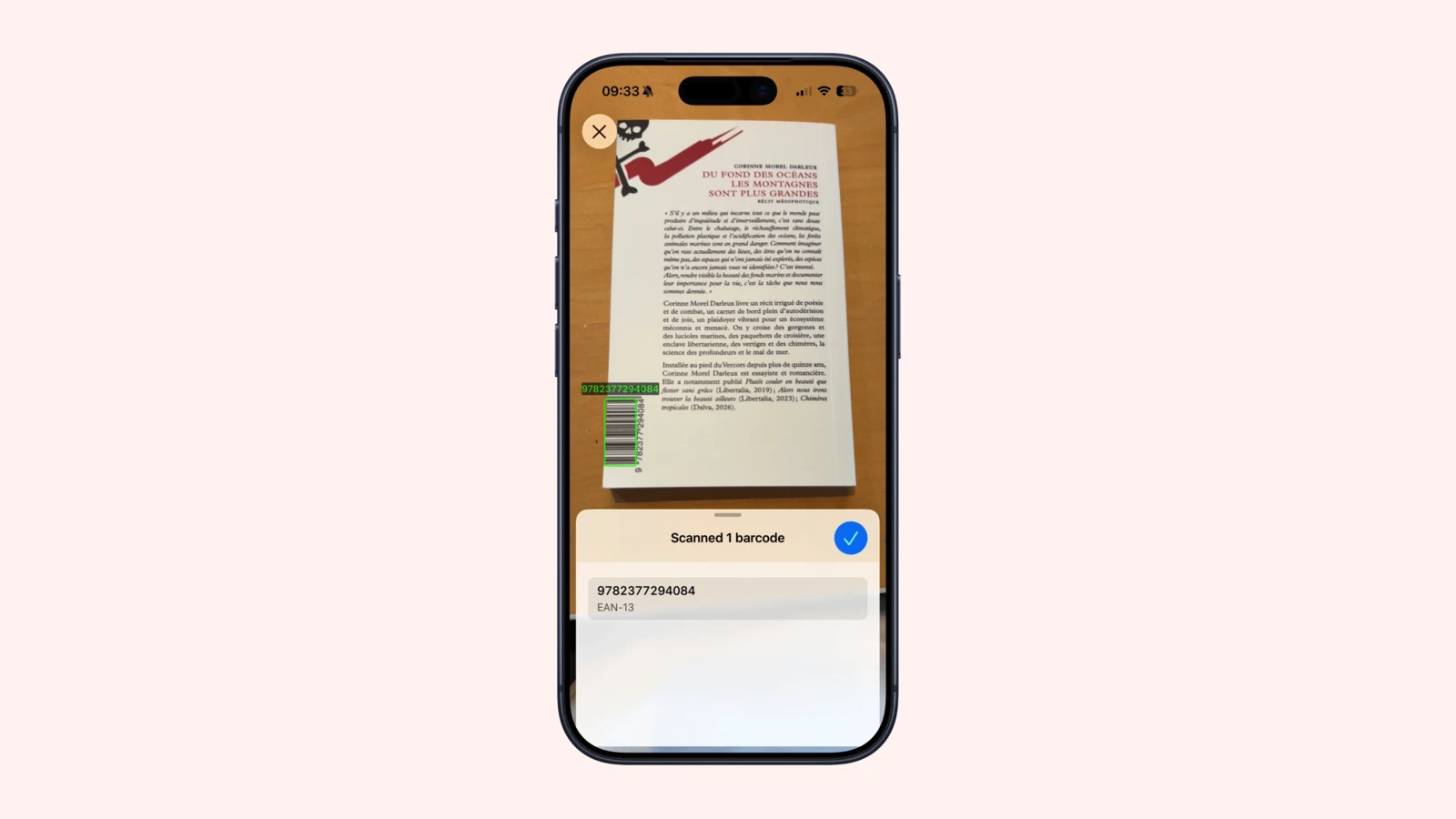
Consistent Barcode APIs
SDK 6 also standardizes how we talk about barcodes across platforms. Older APIs used the term “Readable Code”. In SDK 6, these are now consistently named “Barcode” APIs on iOS, Android, and the cross-platform plugins.
This is not just a cosmetic rename. Consistent naming makes documentation easier to read, migrations easier to plan, and multi-platform codebases easier to maintain.
Stronger Cross-Platform Foundations
Genius Scan SDK supports native iOS and Android apps, but also apps built with React Native, Flutter, Cordova, Capacitor, .NET MAUI, and the web.
SDK 6 introduces a new Capacitor plugin and demo app. It also adds Swift Package Manager support to the Cordova and Flutter plugins, and cross-platform plugins now expose structured scan flow errors with stable codes, messages, recovery suggestions, and underlying error details.
That last point is less visible to end users, but important for production apps. When a scan cannot be completed, developers need actionable errors so they can recover gracefully and explain what happened.
Core Scanning Improvements
This release also improves the underlying processing pipeline. Distortion correction better preserves the corrected image without cropping useful content, and generated PDF text layers are easier for PDF readers to interpret without adding unwanted character spacing.
As before, document processing remains local to the device. Capture, enhancement, PDF generation, and text extraction happen on-device, keeping integrators in control of storage, export, and privacy.
A Major Version, With Migration Notes
Because SDK 6 is a major release, it includes breaking changes. The minimum supported versions are now iOS 15 or later and Android API level 23 or later; the iOS custom camera API has been rebuilt around GSKCameraViewController, and Android no longer supports the legacy Camera API.
If your app already uses Genius Scan SDK 5, start with the SDK 6 migration guide and the full changelog.
Genius Scan SDK 6 is available now. You can explore the updated SDK 6 documentation and try the demo apps from the getting started guides.
And if your app is not using Genius Scan SDK yet, it is not too late. You can try a demo and see how quickly a production-grade scanning flow can fit into your product.